
Why Use UniConverter AI Voicemail Generator?
Create polished voicemail greetings for personal numbers, business phones, support lines, sales teams, and VoIP systems without recording each update manually.
Save Hours With a Free AI Voicemail Generator
Skip repeated recording sessions and create a clean greeting from text. UniConverter's free AI voicemail generator helps you turn a custom script into a ready-to-use audio file in seconds. Update your voicemail message for holidays, campaigns, or after-hours calls without setting up a microphone, finding a quiet room, or editing out mistakes.
Get Studio-Quality Voicemail Messages
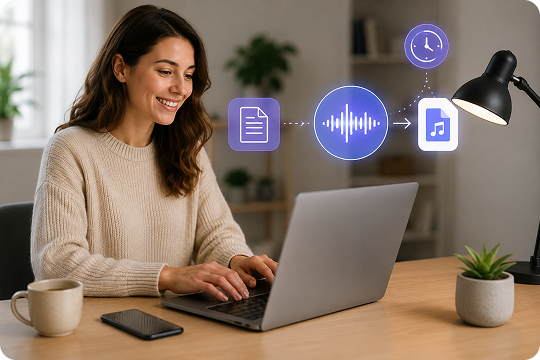
A clear voicemail greeting builds trust before you speak to a caller. Use the AI voicemail generator to create natural voice output with steady pacing, clean pronunciation, and no background noise. It works like a voicemail message creator for business, helping you sound professional across phone systems, support lines, and personal inboxes.

Create Multilingual AI Voicemail Messages Generator
Reach more callers with an AI voice message generator that supports 9+ languages. Choose a language, select a voice, and create voicemail greetings that feel local to your audience. This is useful for global teams, travel services, real estate offices, and support teams that need clear voicemail messages for different regions.

Business Voicemail Greeting Generator for Brand Consistency
Use the same AI voice, tone, and script style across every voicemail greeting. A business voicemail greeting generator helps your brand sound consistent on sales lines, customer support numbers, and department extensions. You can refine your message once, then reuse the same voice persona whenever you need a new update.

Update After Hours and Holiday Voicemail Greetings Instantly
Change your greeting whenever your schedule changes. With an AI voicemail generator, you can create an after-hours voicemail greeting, holiday voicemail greeting, or out-of-office voicemail in minutes. Edit the text, preview the voice, and download a new MP3 or WAV file without asking a teammate to record again or opening complex audio software.

Voice Cloning for Custom Voicemail Greetings on Desktop
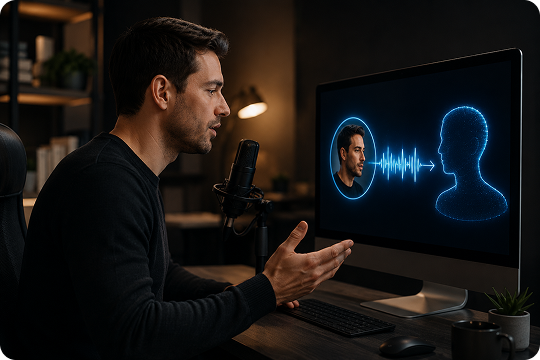
Want your voicemail to sound like you? UniConverter Desktop lets you create voicemail greetings with voice cloning, so you can use your own voice without recording every update. It is helpful for founders, agents, consultants, and creators who want a personal voicemail greeting that still feels polished and easy to revise.
How to Create a Voicemail Greeting in 3 Steps
Creating a voicemail greeting should not take a full recording setup. With UniConverter, you can write your script, choose an AI voice, and download a clean audio file in a few quick steps.

Start with a short and clear message. Add your name, business name, reason for missing the call, and the next action you want callers to take.

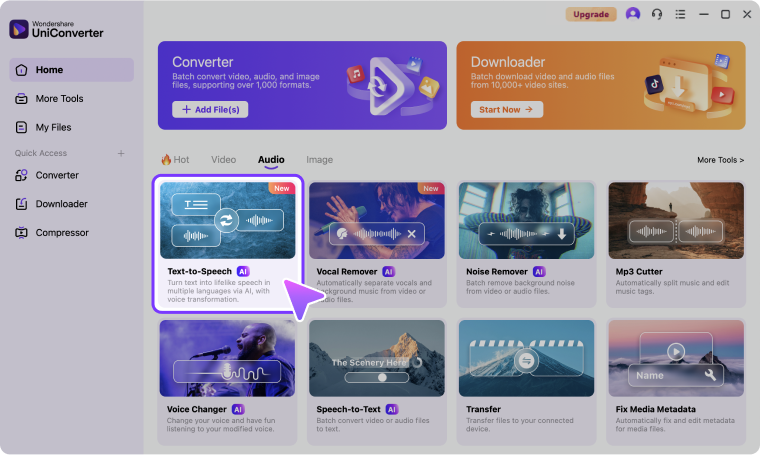
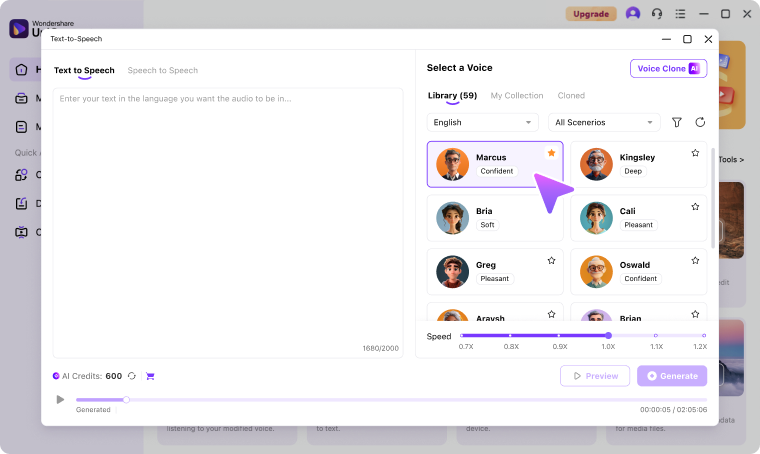
Select a voice that matches your voicemail scenario. Use a warm voice for personal greetings, a confident voice for business calls, or a calm voice for support lines. You can also adjust speed and pitch to make the greeting easier to understand.

Click Generate to create your voicemail message. Preview the result, edit your script if needed, then download the audio as an MP3 or WAV file. You can use the file for iPhone, Android, business VoIP, or other phone systems.
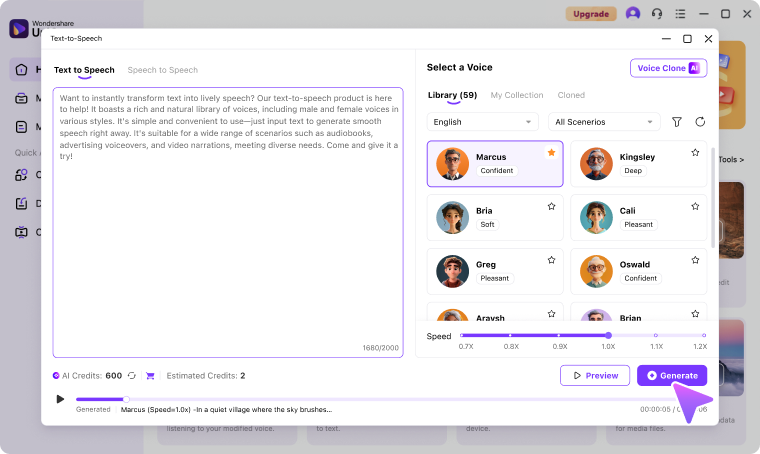
50+ AI Voices for Every Voicemail Scenario
UniConverter gives you 50+ AI voices for different voicemail needs. Use a professional voice for business greetings, a friendly voice for personal messages, or a calm voice for support lines.
Sarah
Professional female voice for business voicemail greetings.
Mike
Warm male voice for approachable personal or team greetings.
Emma
Friendly female voice for personal numbers and small businesses.
David
Authoritative male voice for legal, finance, and executive lines.
Lily
Energetic female voice for sales, retail, and campaign lines.
James
Calm male voice for healthcare, support, and service greetings.
Voicemail Greeting Templates & Script Examples
Not sure what to say on a voicemail greeting? Start with one of these voicemail greeting script examples, then customize the name, company, schedule, and call-to-action.
Personal Greeting
Personal Voicemail Greeting
“Hi, you’ve reached [Name]. I can’t take your call right now. Please leave your name, number, and a short message, and I’ll call you back soon.”
Business Greeting
Business Voicemail Greeting
“Thank you for calling [Company]. We’re unable to answer right now. Please leave your name, number, and message, and our team will return your call.”
Support Greeting
Customer Support Voicemail Greeting
“Thank you for contacting [Company] Support. Please leave your name, ticket number, and a brief description of your issue.”
Sales Greeting
Sales Voicemail Greeting
“Thanks for calling the sales team at [Company]. Please leave your name, company, phone number, and what you’re interested in.”
After-Hours Greeting
After-Hours Voicemail Greeting
“Thank you for calling [Company]. Our office is currently closed. Please leave a message, and we’ll return your call during business hours.”
Holiday Greeting
Holiday Voicemail Greeting
“Happy holidays from [Company]. Our office is closed for the holiday. Please leave a message, and we’ll return your call when we reopen.”
Vacation Greeting
Vacation or Out-of-Office Voicemail Greeting
“Hi, this is [Name]. I’m currently out of the office and will return on [Date]. Please leave a message, and I’ll follow up when I return.”
Funny Greeting
Funny or Casual Voicemail Greeting
“Hi, you’ve reached [Name]. I’m probably busy, away, or pretending not to hear my phone. Leave a message, and I’ll call you back.”
Desktop vs. Online – Pick Your Voicemail Workflow
Use the online voicemail greeting generator when you need a quick greeting without installing software. Choose UniConverter Desktop when you need voice cloning, batch generation, vocal removal, or deeper editing.
| Feature | Online | Desktop |
|---|---|---|
| Quick voicemail generation | Yes | Yes |
| 50+ AI voices | Yes | Yes |
| 9+ languages | Yes | Yes |
| MP3/WAV download | Yes | Yes |
| Voice cloning | No | Yes |
| Vocal removal | No | Yes |
| Batch generation | No | Yes |
| Video and voiceover workflow | No | Yes |
| No install required | Yes | No |
Voicemail Greeting Use Cases & Industries
Create clear, professional voicemail greetings for different industries and caller scenarios. Use UniConverter’s AI voicemail generator to write, preview, and update greetings for business phones, support lines, personal numbers, and VoIP systems.








Real Estate Voicemail Greetings
Real estate calls are often time-sensitive, so your greeting should sound clear, warm, and prepared. Use a professional voicemail greeting generator to create messages for buyer leads, listing inquiries, open house updates, and after-hours callbacks. Add your name, agency, service area, and expected response time. With an AI voicemail generator, you can update your voicemail greeting when a property sells, a campaign starts, or your availability changes.
Healthcare Voicemail Greetings
Healthcare voicemail greetings need to be calm, clear, and easy to follow. Use a voicemail message creator to share office hours, emergency instructions, callback expectations, and appointment reminders. You can create separate greetings for clinics, dental offices, therapy practices, or wellness teams. An AI voicemail generator helps you keep the message consistent while avoiding unclear recordings, background noise, or rushed instructions that may confuse patients.
Legal Office Voicemail Greetings
A legal voicemail greeting should sound professional and set clear expectations. Use a business voicemail greeting generator to create messages for attorneys, paralegals, intake teams, and after-hours lines. Include the firm name, caller instructions, response window, and a simple reminder not to leave urgent or sensitive details. With text to speech voicemail generation, your office can update greetings as schedules, holidays, or case intake rules change.
E-commerce Voicemail Greetings
E-commerce teams need voicemail greetings that reduce support pressure and guide customers quickly. Use an AI voicemail generator to create messages for order questions, shipping delays, returns, refunds, and holiday sales. You can mention your support email, ticket portal, or expected callback time. A voicemail message maker helps your store keep a friendly voice, even during busy seasons when teams need frequent updates across customer service channels.
Freelancer and Consultant Voicemail Greetings
Freelancers and consultants need a voicemail greeting that sounds personal but still professional. Use a custom voicemail greeting generator to introduce your service, explain when you return calls, and direct urgent requests to email or booking links. You can create different greetings for client work, sales inquiries, or vacation periods. With voice cloning on desktop, you can keep the message in your own voice while saving recording time.
Customer Support Voicemail Greetings
Customer support voicemail greetings should help callers take the next step. Use a voicemail message creator to explain support hours, ticket options, escalation steps, and expected response times. An AI voice greeting generator keeps the tone calm and consistent across support numbers. You can also create after-hours voicemail greetings for weekends, holidays, service interruptions, or high-volume periods without re-recording your whole phone menu.
SaaS Voicemail Greetings
SaaS teams often need voicemail greetings for sales, onboarding, billing, and technical support. Use a business voicemail greeting generator to create clear messages for each department. Mention your help center, support portal, or emergency process when needed. With an AI voicemail generator, you can revise greetings during product launches, maintenance windows, or pricing changes while keeping the voice, pacing, and caller instructions consistent.
Education Voicemail Greetings
Schools, training centers, and online educators need voicemail greetings that are simple and helpful. Use a voicemail greeting generator to create messages for admissions, class updates, office hours, parent questions, or course support. Add clear instructions for leaving a name, phone number, student ID, or topic. AI voice generation helps you keep greetings updated for terms, holidays, schedule changes, and important school announcements.
AI Voicemail Generator Trusted by Teams
and Creators
FAQs about Voicemail Message Maker
What is a voicemail greeting generator?
Is UniConverter's voicemail generator free?
How long should a voicemail greeting be?
Can I use AI-generated voicemail for business?
How do I make a voicemail with my own voice?
What languages does UniConverter support?
Can I add background music to my voicemail?
Is the AI voice indistinguishable from a real person?
Online vs. Desktop — which should I choose?
What audio formats can I download?
Can I upload an AI-generated voicemail to my iPhone?
Does UniConverter work with RingCentral, Zoom Phone, or 8x8?
Related Tools You May Like



Create Your First Voicemail Greeting Now
Create your first voicemail greeting now with UniConverter's free AI voicemail greeting generator. Write your script, choose a voice, preview the result, and download a clear MP3 or WAV file in seconds.
