UniConverter · Kick Downloader
Kick Downloader for Windows and Mac
Kick replays don't stay online forever. Save your own or authorized videos while they are available, then keep them on your computer for offline viewing or editing.
Copy a Kick video URL, paste it into UniConverter Downloader, and check the available download options in one desktop workflow.
Download for WindowsDownload for Mac
Desktop app for Windows and Mac.
How to Download Kick Videos with UniConverter
Copy the URL of a Kick video you are allowed to save and follow these steps in UniConverter Downloader.
1. Copy the video link
Open the individual VOD or Clip on Kick and copy its URL from the address bar or share menu. Use the video's link rather than the channel homepage.

2. Open Downloader and paste
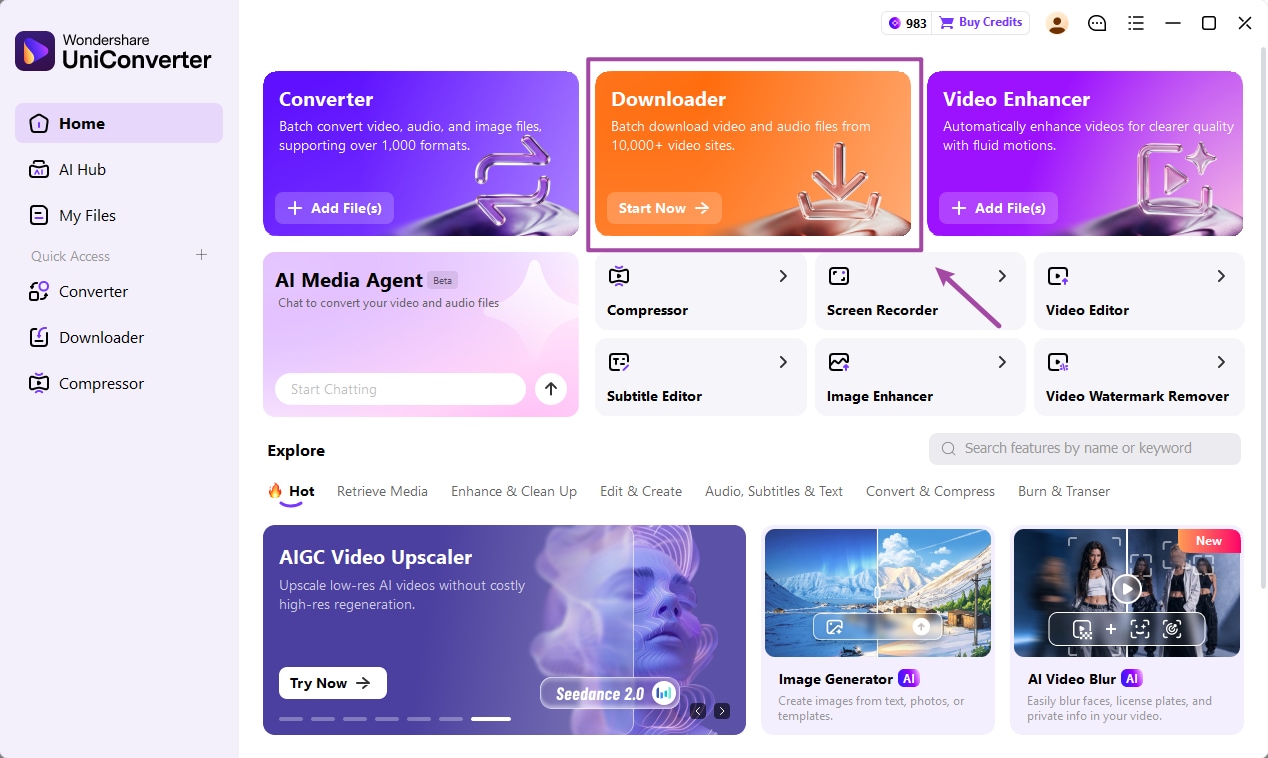
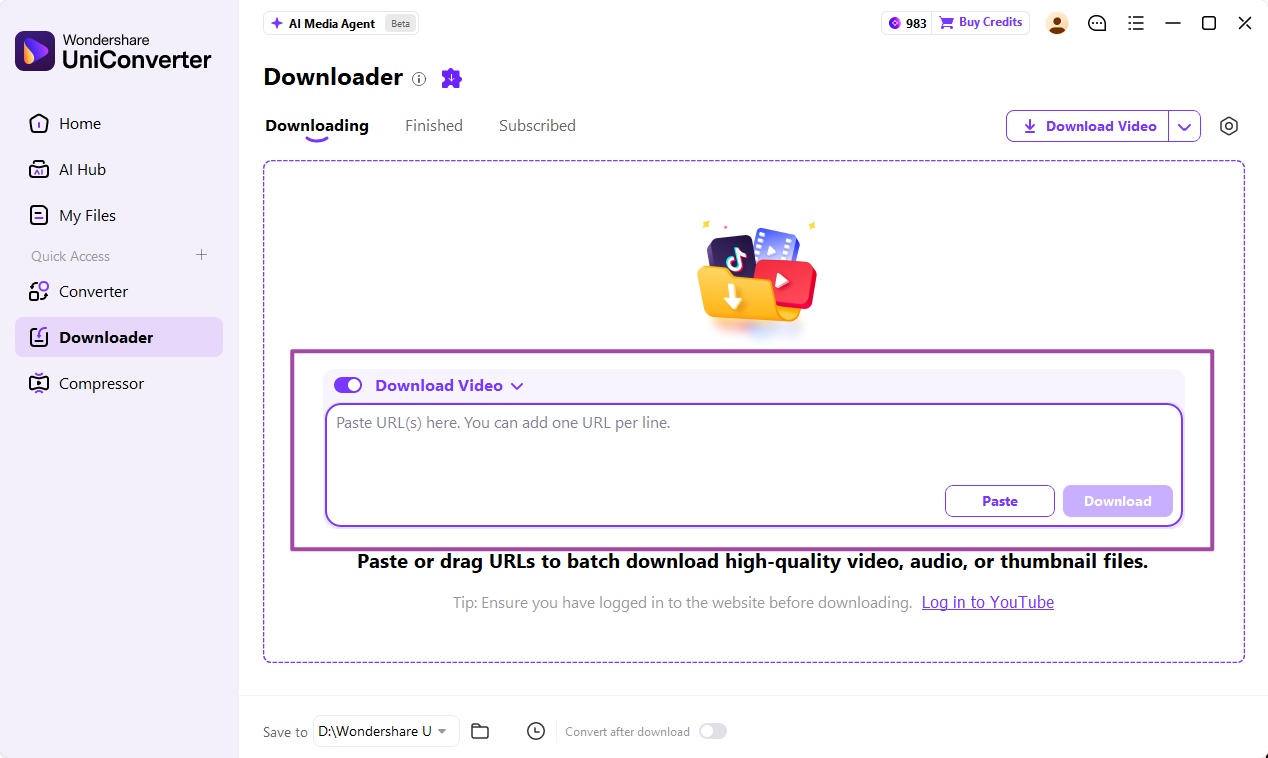
Launch UniConverter, select Downloader, paste the URL and choose a destination using Save to.
3. Start the download
Review the available options for the link and click Download. Follow the task in Downloading.
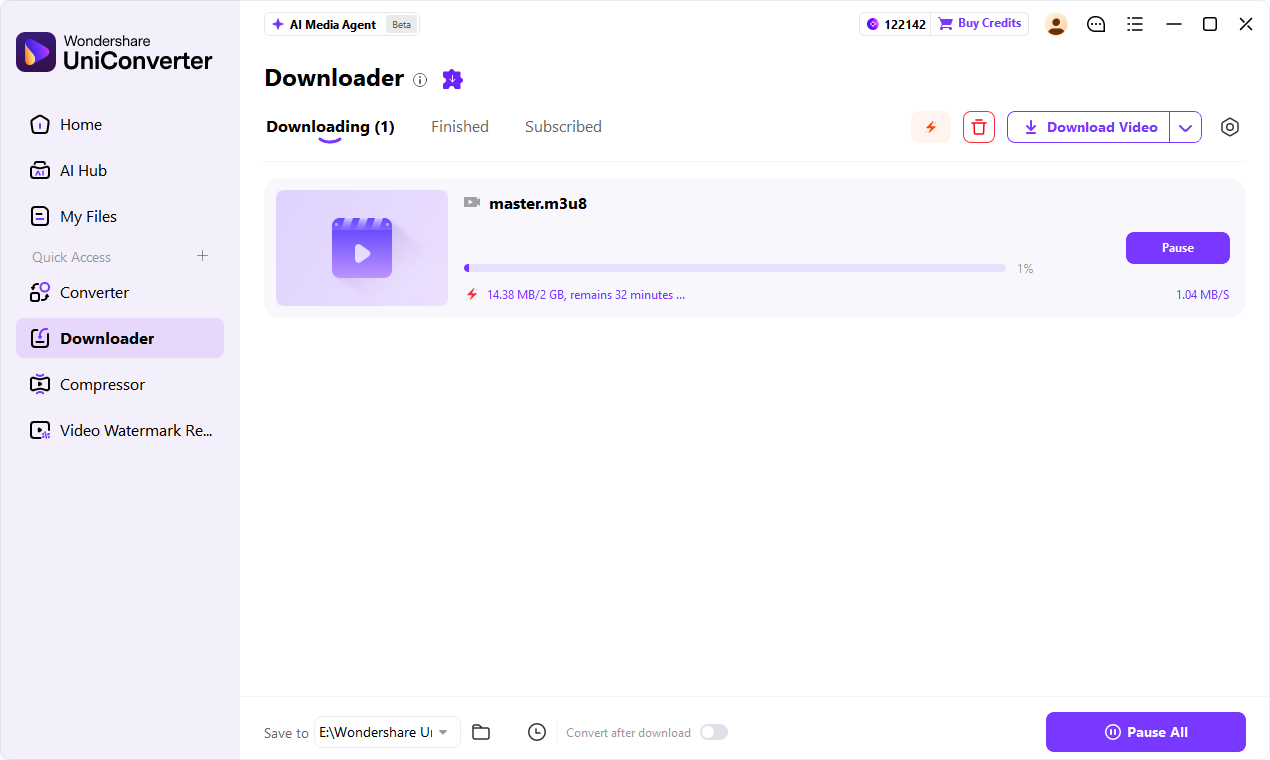
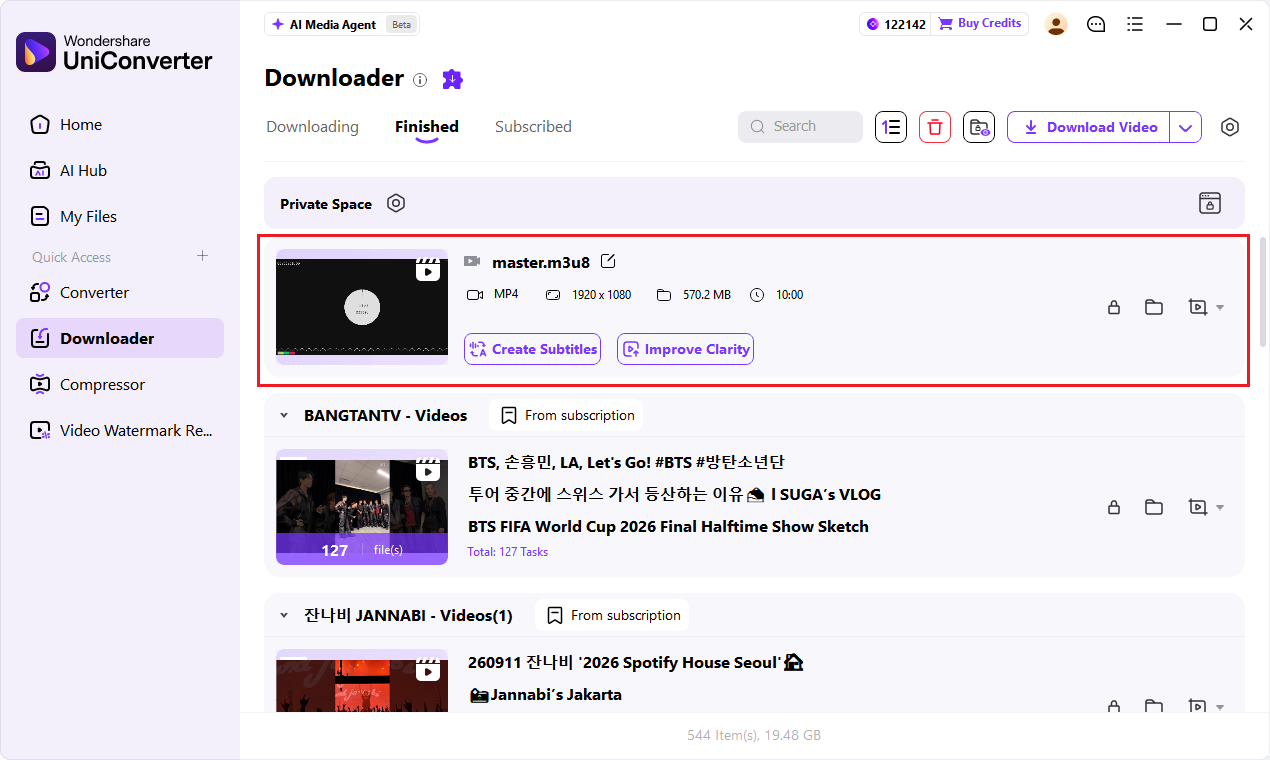
4. Find and check the file
Open Finished, locate the file, and play the beginning, middle and end to check duration, picture and sound.
Need a browser or mobile option? Compare other ways to download Kick VODs, including online tools and extensions.
Kick VOD vs. Clip: Which Do You Need?
| Kick VOD | Kick Clip | |
|---|---|---|
| What it is | A replay of a past livestream | A short moment from a livestream or VOD |
| Best for | Reviewing a full broadcast | Saving a specific highlight |
| Official download | Channel owner via Creator Dashboard | Download from the Clip page |
According to Kick, Clips can be 10 to 180 seconds long. If you need one moment, a Clip may be easier to save than a full VOD.
DON’T MISS THE REPLAY
Save Kick VODs Before They Expire
A replay has a limited window on Kick. Check the video while it is available and save an authorized copy before you need it.
Replays remain available for seven days after the stream ends.
Verified channels can keep replays for up to thirty days.
Creators can delete or make a VOD private. Kick also limits the number of stored replays.
Source: Kick VOD help center
QUICK FIXES
Kick Video Download Not Working?
Start with the replay and its link. These checks solve common problems before you try again.
The link isn’t recognized
Open the individual VOD or Clip and copy its complete address instead of the channel homepage.
The replay is unavailable
Check whether it still plays on Kick. An expired, private or deleted VOD may no longer be accessible.
The download stops
Check your connection and available storage, then retry the video link.
The file looks incomplete
Open the saved video and check its beginning, end and audio. Compare its duration with the replay.
Saving your own stream? Kick’s Creator Dashboard offers an official VOD download. For other devices and tools, explore our guide to downloading Kick VODs on different devices.
FAQs About Kick Downloader
How do I download a Kick VOD?
Open the Kick VOD you want to save and copy its individual URL. Paste the link into UniConverter Downloader, check the available options, and start the download. If it is your own VOD, you can also download it from Creator Dashboard → Studio → VODs on the web.
Can I download someone else's Kick VOD?
Kick's official VOD download option is available for your own channel. To save a VOD from another creator, check that the replay is available and that you have permission, then try its individual URL in a compatible downloader.
Can I download Kick Clips as MP4?
Yes. Kick lets you download Clips as MP4 files directly from the Clip page. Open the Clip and select Download. You can also try its URL in a compatible downloader if you prefer a desktop workflow.
Can I download a Kick VOD in 1080p?
You can select 1080p if that quality is available for the source video and offered by your download method. Check the available options for the VOD and choose the resolution you need.
Why did my Kick VOD download stop before it finished?
Check your internet connection and available storage first. Then reopen the VOD on Kick to make sure it is still available and retry its individual URL. After downloading, play the file and compare its duration with the original replay.
Can I download a Kick VOD on iPhone or Android?
Kick's official VOD download option is available through Creator Dashboard on the web, not in the Kick mobile app. For other phone-friendly methods, see our guide to downloading Kick VODs on different devices.